If you’re wondering how to do flashy passes in NBA 2K21, you came to the right place! Here, we will show you how to purchase and equip your Flashy Passes, how to set up Flashy Passes, and how to do Flashy Passes, etc.
How to Purchase and Equip Your Flashy Passes?

You start with no flashy passes equipped. To apply for access to some flashy passes you will need to purchase them from the Animation Store. Follow these simple steps below to purchase and equip your passes:
1). After logging into your MyCareer select the “Nav” button (for Xbox this is the “Y” button on your controller).
2). Scroll over and select the “MyPLAYER” option.
3). Once in the MyPLAYER Customize screen use the navigation bar at the top of the screen to highlight and select “ANIMATION STORE”.
4). In the ANIMATION STORE screen select the “PARK FLASHY PASSES” option.
5). From this screen, you can choose any flashy pass animation that you would like to purchase.
6). After you have purchased your flashy pass, back out to the MyPLAYER Customize screen.
7). In the navigation bar select the “MY ANIMATIONS” option.
8). In the MY ANIMATIONS screen scroll over the FLASHY PASSES section and equip your purchased flashy pass animation.
How to Set Flashy Passes in NBA 2K21?
Below I will show you how to set flashy passes in NBA 2K21.
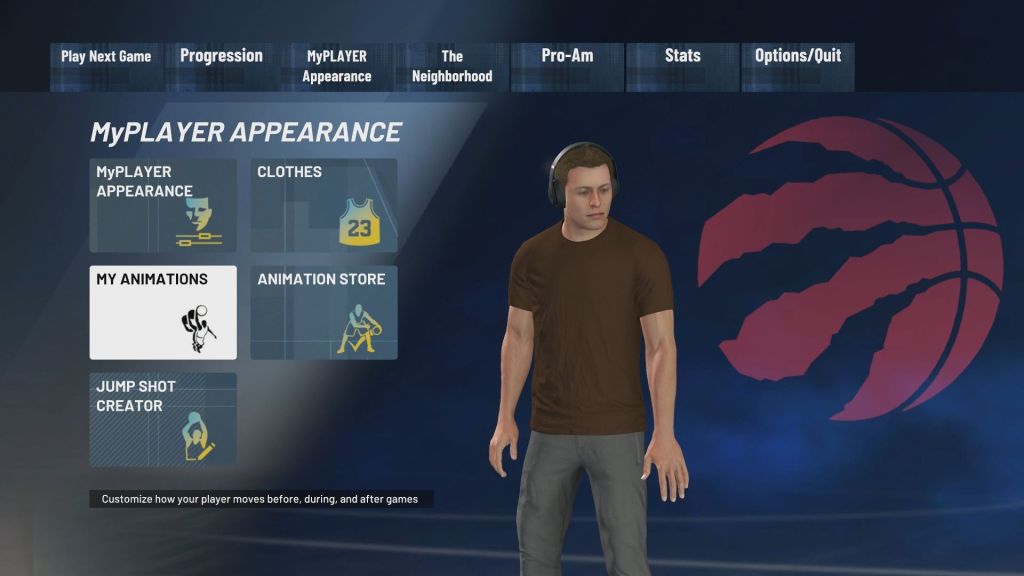
1). Access The MyPLAYER Animations Menu
To access your animations you need to first access the MyPLAYER Appearance tab from the options screen. From here select the My Animations menu from the navigation screen. Select this option to be taken to a new screen with a slew of animation options you can change.
2). Set Your Flashy Passes on the My Animations Screen
The Animation screen features many different options you can select to change on your MyPLAYER. The option we want to change is called the flashy pass and it can be found to the right (8). Once on the flashy passcard, you can change the passes you have equipped. There are some crazy passes to choose from including kicking the ball. Select whichever passes you want to run with and you will be able to use them in-game.
How to do a Flashy Pass?
1). For PS4 & PS5: Double-tap Circle to pass and pick a receiver with the left analog stick.
2). For Xbox One & Xbox Series X: Double-tap B to pass and pick a receiver with the left analog stick.
Tips and Tricks
Flashy Passes may look cool, but if your MyPlayer has an abysmal passing rating do not attempt these as it will result in a quick turnover.
That’s everything you need to know about how to do Flashy Passes in NBA 2K21. For more guides and tips on the game, be sure to click here. We have also included some other helpful guides like how to farm and buy mt coins 2k21.
 NBA 2K23 Guides